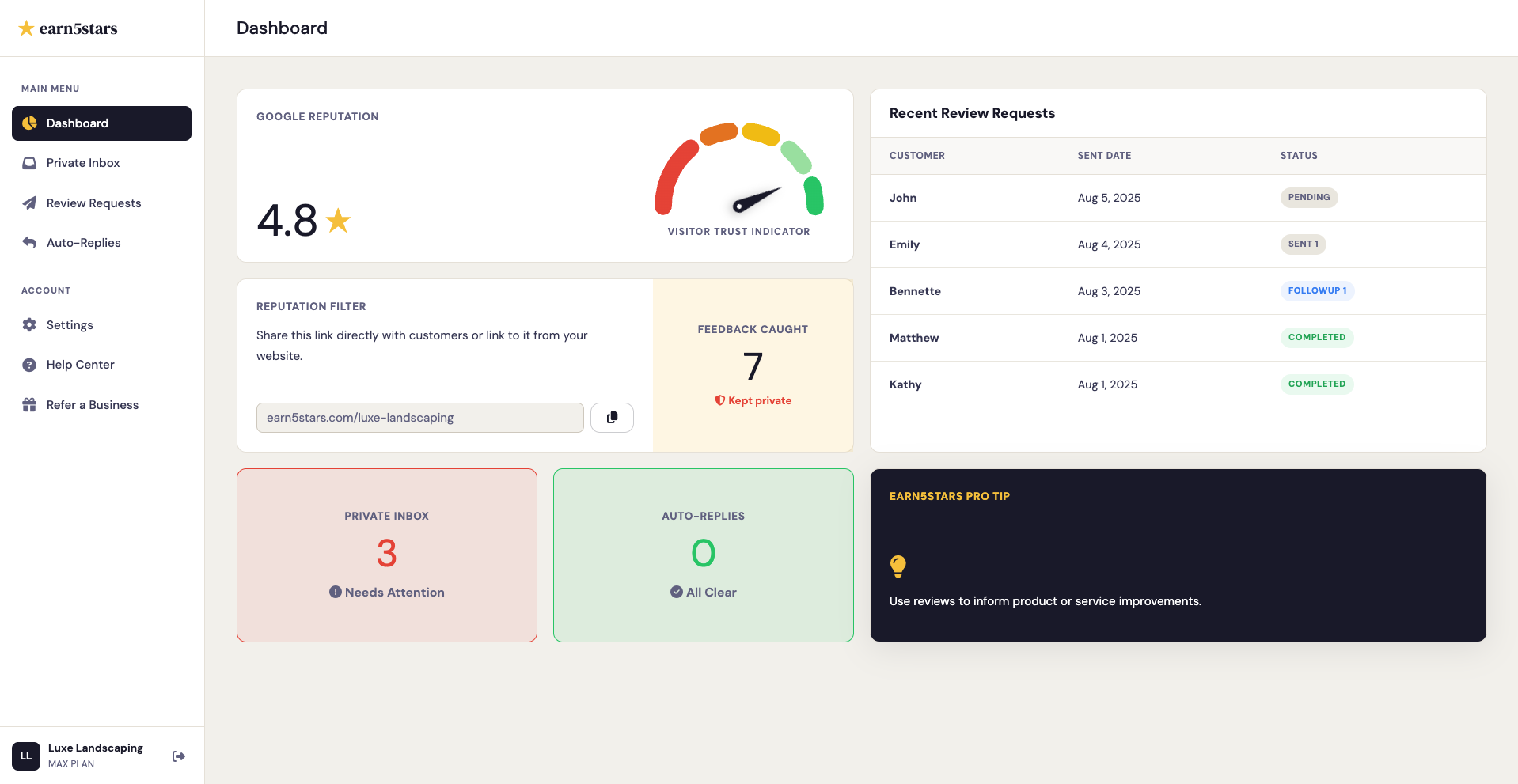
Your earn5stars main dashboard is the command center for your business. It is designed to give you an immediate, real-time snapshot of your online reputation, customer feedback, and automated activity in one glance.
Here is a breakdown of exactly what each section of your dashboard tells you and how to read the data.
The Health Dial
At the very top of your dashboard, you will find your Google Business Review score. This metric track your overarching success on Google.
- Google Health Dial: This visual gauge displays your current average star rating directly from your Google Business Profile. The needle moves in real-time as new reviews come in. Visitors trust businesses with higher aggregate review ratings and recent reviews.
Action & Support KPIs
Directly beneath your health dial, you'll find cards designed to track the "behind-the-scenes" work earn5stars is doing for you.
- Feedback Caught: This tracks the number of times a customer was dissatisfied (selecting 1-3 stars on your link) and was successfully routed to the private feedback form instead of posting publicly.
- Private Inbox: This metric shows any recent unread private feedback captured by your reputation filter. You can review feedback by clicking the Private Inbox tab in your sidebar.
- Auto-Replies: This metric shows any pending auto-replies that need your approval before being posted to Google. You can review and approve auto-replies by clicking the Auto-Replies tab in your sidebar.
Why Replies Matter
Google has explicitly stated that businesses that respond to all reviews, both positive and negative, are rewarded with higher local SEO rankings and increased visibility in Google Maps.